
How I Built a Sudoku Solver Using JavaScript, HTML, and CSS

Introduction: What is Sudoku?
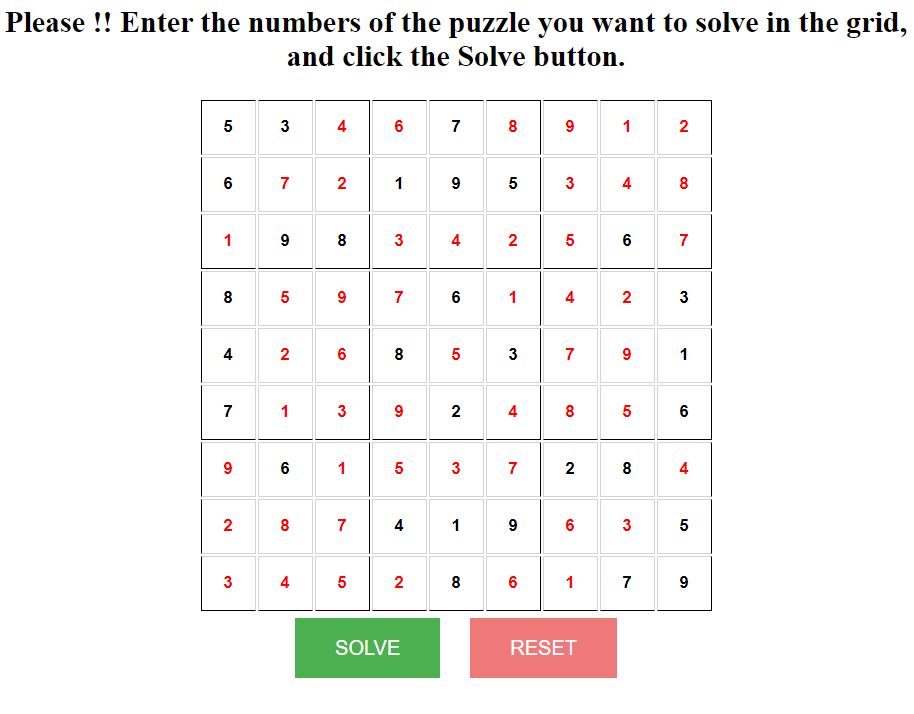
Sudoku is a widely popular logic-based puzzle where you fill a 9×9 grid with digits. Each row, column, and 3×3 sub-grid must contain the numbers 1 through 9 exactly once. Some cells are pre-filled with numbers, while others are left blank, waiting for the solver (in this case, you or my program) to fill them in.
The goal? Simple: complete the puzzle with no repeating digits in any row, column, or sub-grid.
But the real challenge comes with harder puzzles, where it’s tough to logically determine the right numbers. This is where my Sudoku Solver project shines. By leveraging JavaScript for the logic, alongside HTML and CSS for the game interface, I’ve created a tool that can solve any valid Sudoku puzzle at the click of a button.
Project Overview: How Does It Work?
In essence, this project consists of a few key components:
- User Interface (UI) – The grid where users input the puzzle.
- Solving Logic – The algorithm that figures out the solution.
- Buttons – To either Solve or Reset the puzzle.
Drawing the Sudoku Grid
For the grid itself, I used a simple HTML table combined with some custom CSS to make the cells look clean and Sudoku-like. Each table cell represents a single digit in the puzzle, and users can enter numbers directly into these cells.
Here’s a snippet of how I structured the HTML for the grid:
<table id="sudokuGrid">
  <tr>
    <td><input type="number" min="1" max="9"></td>
    <td><input type="number" min="1" max="9"></td>
    <!-- More cells here -->
  </tr>
  <!-- More rows here -->
</table>
This makes it easy to input the puzzle, and using CSS, I styled the grid to highlight the 3×3 subgrids. This is important because the visual distinction between the subgrids is part of what makes Sudoku solving more intuitive.
The Core Logic: Solving the Puzzle
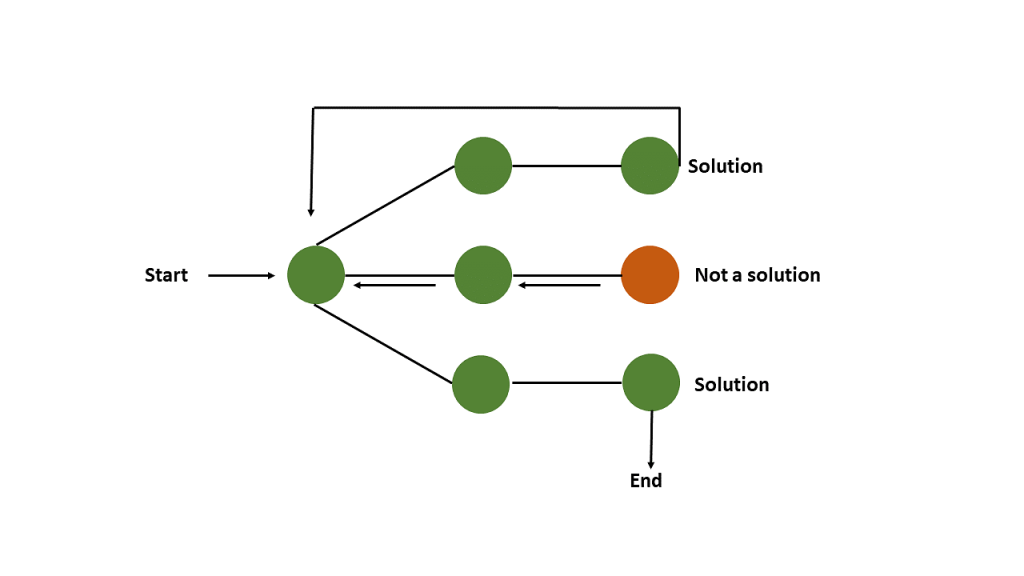
The heavy lifting in this project is done by the solving algorithm, which is implemented in JavaScript. The algorithm I used is called Backtracking—a classic recursive method for solving constraint satisfaction problems like Sudoku.
Here’s a breakdown of how it works:
- Find the first empty cell in the grid.
- Try placing a number (1–9) in that cell.
- Check if that number is valid based on the Sudoku rules:
- It must not be repeated in the same row.
- It must not be repeated in the same column.
- It must not be repeated in the same 3×3 subgrid.
- If the number is valid, move to the next empty cell and repeat.
- If no valid numbers can be placed in a cell, backtrack by resetting the last placed number and trying the next number.
- Continue this process until the entire grid is filled correctly.
Here’s a simplified version of the backtracking algorithm in JavaScript:
function solveSudoku(grid) {
    // Find the next empty cell
    let empty = findEmptyCell(grid);
    if (!empty) return true;  // Puzzle solved if no empty cells are left
    let [row, col] = empty;

    for (let num = 1; num <= 9; num++) {
        if (isValid(grid, row, col, num)) {
            grid[row][col] = num;

            if (solveSudoku(grid)) {
                return true;
            }

            grid[row][col] = 0;  // Backtrack if no solution found
        }
    }
    return false;
}
Checking Validity
The isValid function is crucial for ensuring the puzzle follows Sudoku rules. Here’s how I implemented it:
function isValid(grid, row, col, num) {
    // Check the row
    for (let x = 0; x < 9; x++) {
        if (grid[row][x] === num) return false;
    }

    // Check the column
    for (let x = 0; x < 9; x++) {
        if (grid[x][col] === num) return false;
    }

    // Check the 3x3 subgrid
    let startRow = Math.floor(row / 3) * 3;
    let startCol = Math.floor(col / 3) * 3;
    for (let r = 0; r < 3; r++) {
        for (let c = 0; c < 3; c++) {
            if (grid[startRow + r][startCol + c] === num) return false;
        }
    }

    return true;
}
This function checks that the number does not already appear in the same row, column, or 3×3 sub-grid. Only when all these conditions are satisfied can the number be placed in the grid.
The Solve and Reset Buttons
I added two buttons to the interface: Solve and Reset.
- The Solve button triggers the backtracking algorithm to solve the current puzzle.
- The Reset button clears the grid so users can input a new puzzle.
Here’s how the buttons are hooked up in JavaScript:
document.getElementById("solveBtn").addEventListener("click", function() {
    let grid = getGrid();  // Get the current grid state
    if (solveSudoku(grid)) {
        fillGrid(grid);  // Fill the UI grid with the solution
    } else {
        alert("No solution found!");
    }
});

document.getElementById("resetBtn").addEventListener("click", function() {
    clearGrid();  // Clears the grid
})
Bringing It All Together
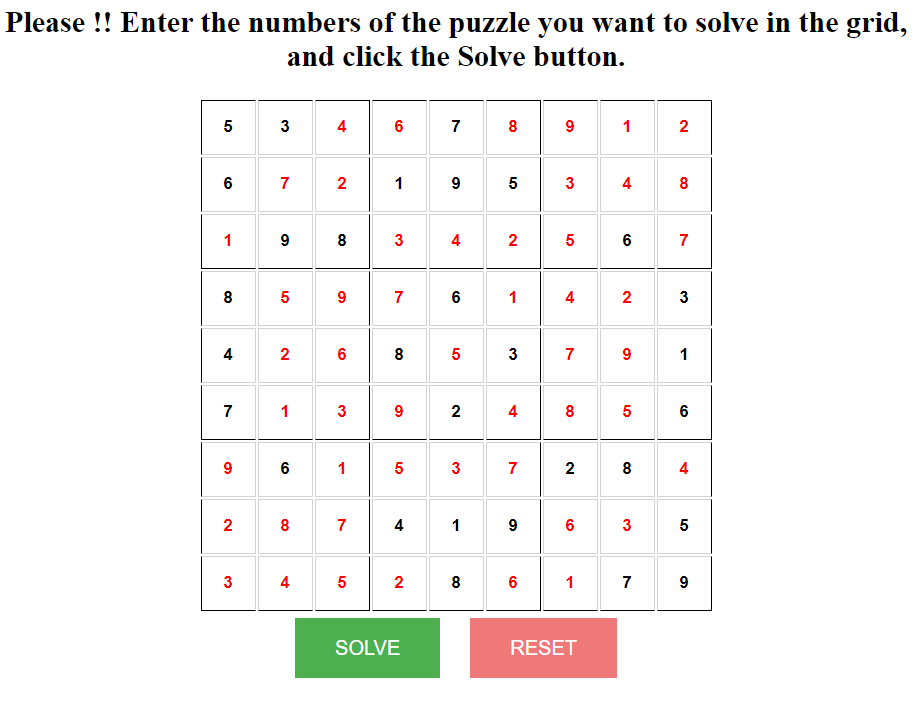
With the grid drawn, the logic implemented, and the buttons hooked up, the solver is ready for action! You can enter a Sudoku puzzle into the grid, click “Solve,” and see the solution appear in seconds.
Conclusion: What I Learned
Building this project taught me a lot about:
- Recursive algorithms (especially backtracking).
- Front-end development with HTML, CSS, and JavaScript.
- The challenge of integrating logic with a user-friendly interface.
Sudoku is not just a fun game, but also a great way to exercise your programming skills. If you’re looking for a way to improve your problem-solving abilities and learn about constraint satisfaction problems, building a Sudoku Solver is a fantastic project to try.
If you’re interested in giving it a go yourself, feel free to check out the code on my GitHub.
Try It Out
You can play around with my Sudoku Solver by cloning the project from my GitHub repo and trying your own puzzles! If you have any questions, feel free to reach out 😉
See you soon 🙂
